Lost Calls #
The Lost Calls view identifies calls that were abandoned — customers who hung up before reaching a user. Every lost call represents a missed connection, and tracking them reveals whether customers are leaving due to wait times, routing confusion, system issues, or frustration.
Why Track Lost Calls? #
Detecting routing and queue problems — a sudden spike in abandoned calls in a particular queue often indicates sizing issues (too few users for call volume), routing misconfiguration, or system problems causing excessive hold times. Lost calls are an early warning signal.
Identifying self-service gaps — if many customers abandon after reaching your IVR, it suggests your self-service options are not meeting their needs. Tracking which menu paths lead to abandonment helps you improve the customer journey and deflect calls away from queues.
Understanding customer frustration — customers abandon calls when they perceive the wait is too long or when they lose confidence they will reach someone who can help. High abandonment rates often correlate with lower satisfaction and higher churn risk.
Measuring service level performance — while SLA metrics focus on answered calls, abandoned calls are equally important — they represent service failures. Tracking abandonment alongside answer rates gives you a complete picture of whether your contact centre is meeting customer expectations.
Finding cost-saving opportunities — lost calls are wasted infrastructure costs with no benefit. Even small improvements in first-call resolution, IVR deflection, or queue sizing can meaningfully reduce the volume of abandoned calls and free up capacity for productive interactions.
Using the Lost Calls View #
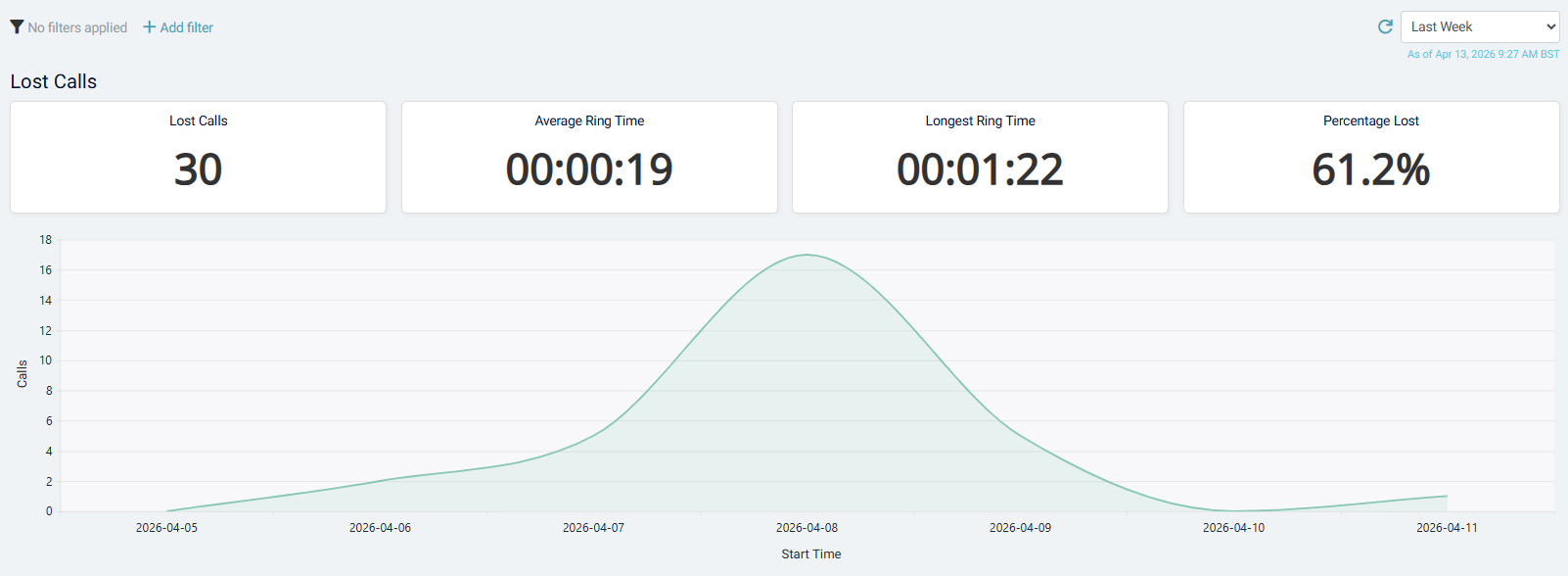
The view displays your abandoned calls, showing:
- Customer — who abandoned the call
- Date and time — when the abandonment occurred
- Queue or IVR path — where the customer abandoned
- Wait time — how long the customer waited before hanging up
- Abandon point — at what stage of the call journey they left
Identifying trends — use filters and date range controls to focus on:
- Specific queues — which queues have the highest abandonment rate? Are certain teams consistently losing calls?
- Time patterns — does abandonment spike at particular times of day or days of week? This can indicate understaffing during peak hours.
- Self-service abandonment — filter to calls abandoned in the IVR to see which menu options or call types are driving customers away from self-service.
- After routing changes — compare abandonment before and after a process, IVR, or queue change to measure the impact.
Understanding abandonment reasons — while the system cannot know exactly why a customer hung up, the context provides clues:
- Long wait times suggest capacity or routing issues
- Abandonment at specific IVR options suggests customers don't understand those choices
- Abandonment right after reaching a queue suggests the wrong team was selected or the transfer experience was poor
Taking action — use abandonment patterns to prioritize improvements:
- If queue abandonment is high, review staffing levels and routing logic
- If IVR abandonment is high, test your self-service flows and simplify menu options
- Follow up with customers who abandoned important calls (e.g., support requests) to understand their needs
tip
Track abandonment rate (abandoned calls ÷ total calls) alongside volume. A queue with 10 abandoned calls per day might be less concerning than one with 2, depending on total call volume. Rate gives you the true picture of service level performance.