Conversational Intelligence #
Conversational Intelligence (CI) uses AI to automatically analyse the content of your telephone calls, turning recorded conversations into structured, searchable insights. Rather than manually reviewing calls, your team can quickly identify trends, monitor quality, and understand what is happening across every customer interaction — at scale.
Benefits #
CI delivers value across a range of business needs:
User performance & coaching — understand how users are handling calls, whether they are using the right language, and where they may need support. Optional scoring allows you to objectively measure performance against defined criteria.
Compliance & quality assurance — use keyword detection to verify that mandatory statements, disclosures, or greetings are being said on every relevant call. Automatically flag calls that may require review.
Customer experience — sentiment analysis gives you a clear picture of how customers feel during and after interactions. Spot dissatisfied customers early and identify calls that may need follow-up.
Trend identification — topic analysis surfaces the subjects being discussed across your calls, making it easy to spot emerging issues, recurring themes, or shifts in customer behaviour without listening to individual recordings.
warning
Transcription Disclaimer Transcriptions are generated automatically using Microsoft Azure Speech Services and may contain errors, omissions, or inaccuracies. These transcripts are provided for general reference only and must not be relied upon for legal, medical, financial, or any other professional advice or decision-making.
How it Works #
CI processing begins automatically after a call ends and the recording has been archived. The following steps are carried out in sequence:
1. Transcription #
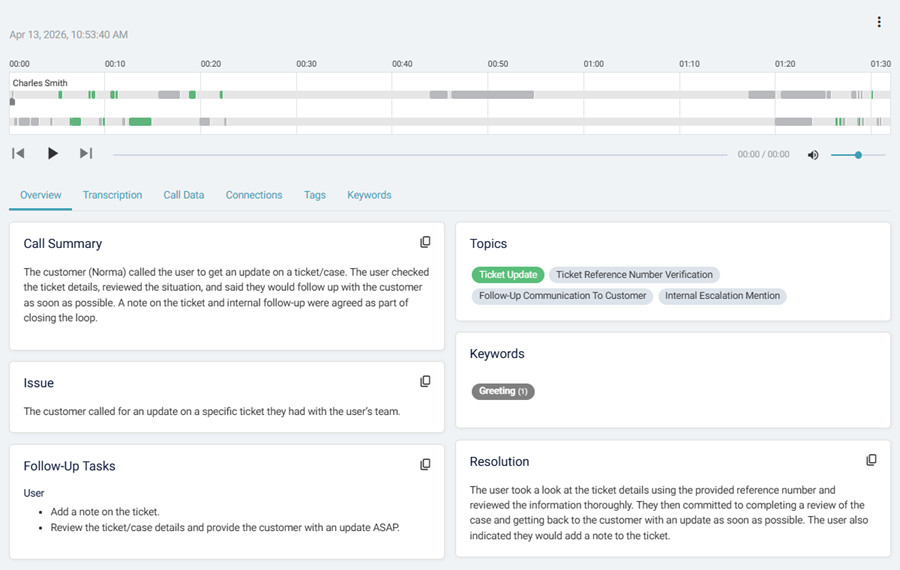
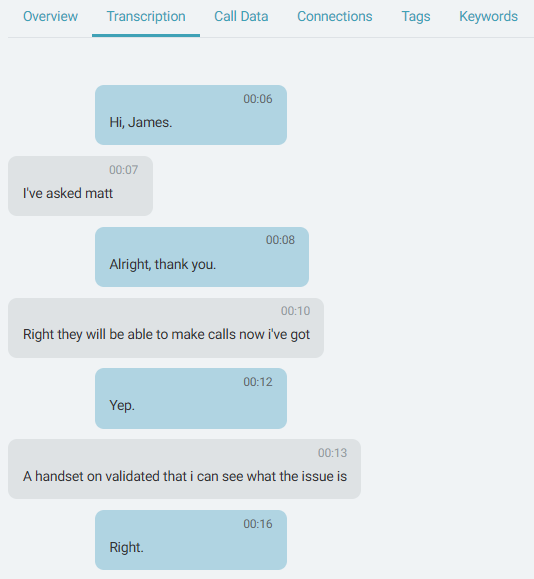
The call recording is transcribed using Microsoft Azure Speech Services. The transcription diarizes the conversation, separates the conversation by speaker, identifying the customer and the user sides of the call independently. This speaker separation is important because many of the subsequent analysis steps treat each side of the conversation differently.
note
Diarization Disclaimer On stereo calls, the AI uses the stereo channels to identify the two speakers. On mono calls, the AI uses voice characteristics to identify the two speakers. Currently, conference calls on stereo channels are not diarized.
2. Summary & Action Items #
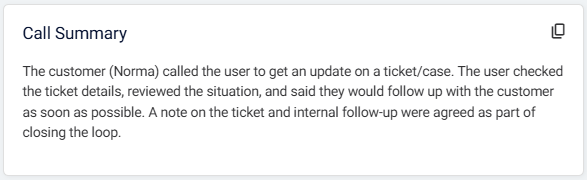
Once transcribed, the AI generates a plain-language summary of the call — covering the reason for the call, what was discussed, and the outcome. Where relevant, any follow-up action items identified in the conversation are also extracted and added to the call record.
info
Calls which have a fewer than 20 words in the entire transcription are not summarised. The entire transcription will be displayed in the summary instead.
3. Sentiment Analysis #
Sentiment is analysed separately for the customer and the agent across the course of the call. This gives a view of how each party's language evolved throughout the conversation — not just an overall impression. A call can start neutral, shift negative during a complaint, and end positively once resolved, and CI captures that progression.
More about Sentiment Analysis ->
info
Calls which have a fewer than 3 words will not be measured for sentiment.
4. Topic Analysis #
The AI identifies a 'Primary Topic' for the subjects discussed during the call. Topics are then clustered together to surface broader themes across large volumes of calls, making it easier to spot patterns that would be invisible when looking at individual recordings.
info
Calls which have a fewer than 5 words are not measured for topic analysis.
5. Keyword Matching #
After transcription, the call is checked against any keyword rules you have configured. Keywords are specific words or phrases you want to monitor — such as mandatory greetings, competitor names, or phrases that signal risk or opportunity. Each match is flagged and highlighted in the conversation view.
6. Scoring #
Where scorecards have been configured, calls are automatically scored against your defined criteria. Scoring can draw on any combination of call data, sentiment, keyword matches, and other CI outputs to give an objective measure of call quality for users with the Quality Assurance role.
For information on configuring scorecards, refer to the Scoring section.