Topic Analysis #
The Topic Analysis view provides a visual summary of the subjects being discussed across your calls. It uses AI to automatically identify and group topics, giving you a high-level view of call themes without needing to listen to individual recordings.
warning
Topic Analysis requires a minimum of 100 transcribed calls before topics analysis and clusters will be available. The view will not display data until this threshold has been reached.
For an explanation of how topics and clusters are generated — including the distinction between 'Primary Topics' and additional topics — refer to the Topic Analysis section in Getting Started.
Navigating the View #
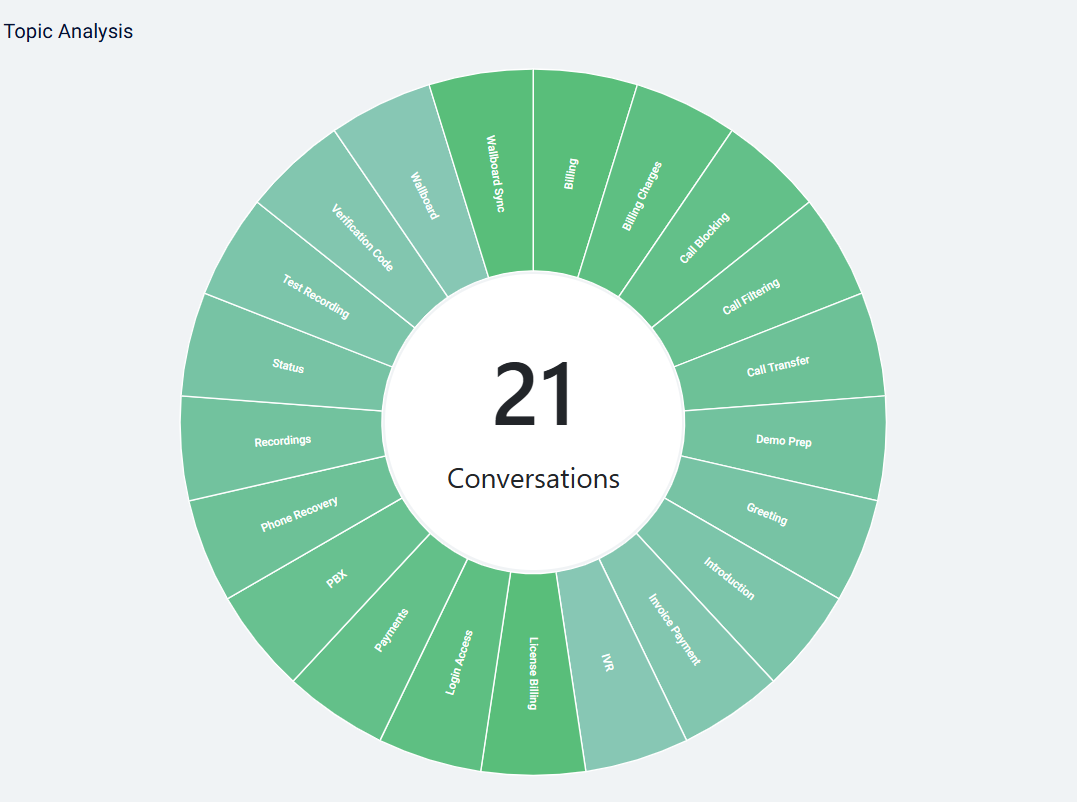
When you first open Topic Analysis, the view displays your Topic Clusters — the broad themes that have been identified across your calls for the selected period. Each cluster is shown with a count of the calls that fall within it, giving an at-a-glance picture of what is driving call volume.
Drilling into a cluster — clicking on a Topic Cluster expands it to show the individual 'Primary Topics' that make up that cluster. These are the more specific subjects that the AI identified within calls grouped under that theme.
Opening the calls — clicking on a Primary Topic takes you directly to the 'Conversations' screen, pre-filtered to show only the calls where that topic was the primary subject. From there you can review individual call transcriptions, sentiment, and other CI data for those calls.
Filtering the View #
Filtering is important for getting meaningful insight from Topic Analysis. Without filtering, the view shows topics across all call types combined, which can obscure patterns that are specific to particular call flows.
Use the filter options at the top of the page to narrow the data before drawing conclusions. Some useful examples:
- Inbound calls only — switching to inbound calls focuses the view on why customers are contacting you, removing outbound call topics that would otherwise dilute the picture.
- Specific date ranges — comparing topic clusters week-on-week or month-on-month can reveal whether themes are emerging, growing, or resolving.
- Specific users or queues — filtering to a particular team or queue helps identify topics that are relevant to that group, such as support topics for a technical team or sales objections for a sales queue.
tip
Filtering to inbound calls is a good default starting point — it gives a clear view of the topics driving inbound contact, which is often the most actionable insight for identifying self-service opportunities or recurring issues.